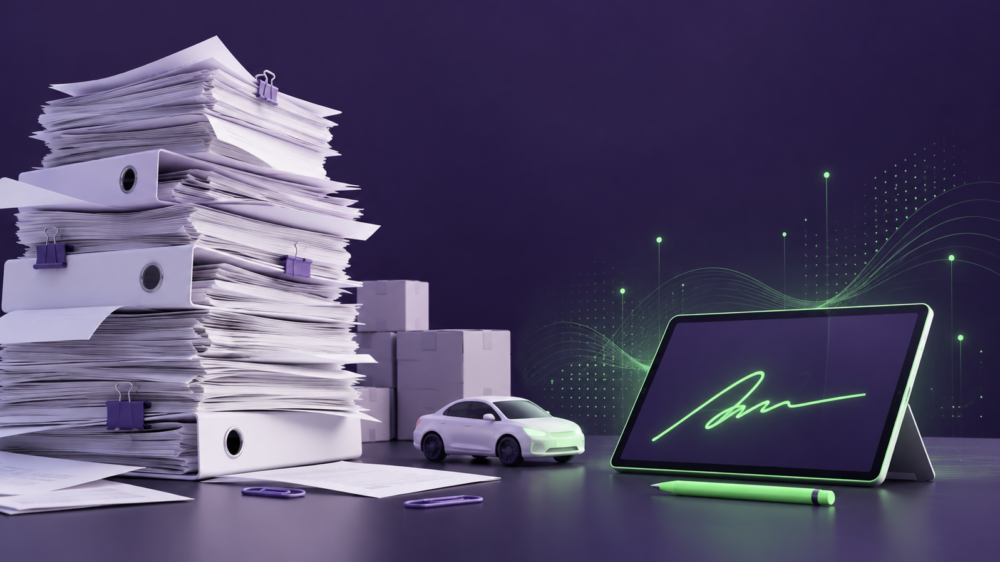
Approving car repairs, accepting goods or handing an order over to a customer. These are different business situations, but they often have one thing in common: documents that need to be signed. That usually means printing, scanning and storing them too.
These extra steps can be avoided. ECount, the business accounting system developed by Insolita, now offers more ways to sign documents electronically. Alongside Elpako’s qualified electronic signature, which was already integrated into the system, users can now choose biometric signing. This allows customers to sign documents directly on a tablet using a digital pen.
“One of our clients repairs around 2,000 cars a month. Lithuanian regulations require car repair orders to be recorded on forms that customers must sign and the business must then retain. When thousands of these documents build up, printing and managing them becomes a considerable administrative burden. Seeing how much extra work this creates, we wanted to find a way to make the process easier,” says Vytenis Dulskis, Director of Insolita.
Electronic signatures in business: different documents, different needs
ECount is a modular business and accounting system for managing purchases, sales, orders, stock levels and other daily business processes. According to its developers, around 95% of Insolita’s clients operate in the car and motorcycle sector, mainly as repair shops and car parts wholesalers.
These businesses sign a wide range of documents every day, from repair orders to agreements with business partners and confirmations that goods have been handed over. A qualified electronic signature suits some processes, while signing on a tablet with a biometric signature is more convenient for others.
Some of these features are already used in ECount. Other examples below show how biometric signing could support additional business processes.
Car repair shops: signing a repair order form on a tablet
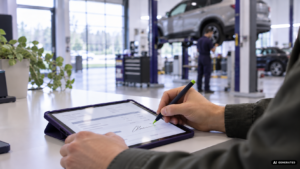
A customer arrives at a repair shop and leaves their car for repairs. An employee prepares a repair order form in ECount, including the vehicle details, planned repairs and other relevant information.
With a paper-based process, the employee has to print the documents, prepare copies and arrange for them to be stored. With Elpako, the completed form is sent to a tablet as a PDF. The customer can review it and add a biometric signature using a digital pen.
The form can therefore be signed while the customer is still at the repair shop, without the employee having to prepare separate paper documents.
Car parts sales: from agreements to product returns
Car parts businesses handle customer and supplier orders, sales, returns and payments every day. ECount helps manage these processes, and some of the related documents also need a signature.
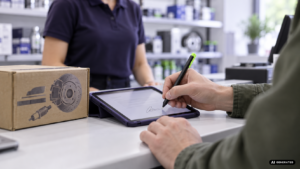
For example, agreements with business partners can be signed using a qualified electronic signature. Biometric signing could be used in other situations, such as when a customer returns car parts. The employee accepting the goods could display the return document on a tablet and ask the customer to sign to confirm the handover.
According to Insolita Director Vytenis Dulskis, a larger car parts wholesaler records around 10,000 sales transactions a month. Although not every transaction requires a signature, businesses working at this scale need to make the related paperwork as simple as possible.
Warehousing and logistics: confirming delivery
Warehousing and logistics involve more than picking an order. Businesses also need to make sure the goods reach the recipient. ECount allows users to manage stock levels, plan order picking in the warehouse, arrange deliveries using their own vehicles and track shipment status.
For example, a driver delivers an order to a customer. The recipient checks the goods, and the handover may also need to be recorded. With biometric signing in place, the recipient could review the delivery document on a tablet and sign it on the spot.
This could add a clear confirmation of receipt to the delivery process and make it easier to link each delivery to its supporting document.

What has been added to the ECount and Elpako integration?
Electronic signing is already available in ECount. Through Elpako, users could previously sign internal documents with a qualified electronic signature and send invitations to sign agreements.
The latest update adds biometric signing. This is particularly convenient when a customer needs to sign a document in person at the point of service.
At first glance, biometric signing looks like signing on paper. However, signing on a tablet captures more than the image of the signature. It also records biometric data, such as pen pressure, movement speed and angle. This information may be relevant when assessing whether a signature is authentic.
The integrated solution allows users to send a PDF from ECount to a tablet or another compatible device for signing. The signed document can be kept in Elpako’s document storage or downloaded and saved elsewhere.
More document signing options on the Elpako platform
ECount users who need more signing options can use the same account to access Elpako’s biometric signing platform. It offers additional features:
- Document templates. Frequently used documents can be prepared in advance, with fields for entering information and adding signatures.
- Assistance mode. The employee and customer see the same document on separate screens, allowing the employee to help the customer complete it.
- Standby mode. The tablet can display the company logo or another chosen image while waiting for a document to be signed.
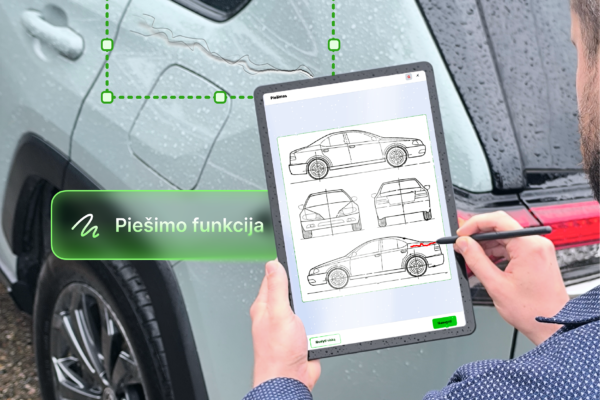
- Drawing fields. Users can add markings by hand, such as indicating damage on a vehicle diagram.
- Virtual printer. Documents from other applications can be sent directly to Elpako’s signing platform.
The platform also allows users to send document templates for customers to complete and sign on their own, track document status, use automatic reminders and store signed documents.
How does electronic signing help businesses?
One of the main benefits is less administrative work. When documents are prepared and signed electronically, employees can spend more time on their main tasks and less time preparing and managing paperwork.
Documents stored digitally are also easier to find and review when needed. This is particularly useful for businesses that handle large volumes of documents every day and need to keep them traceable.
Customers benefit too. When they visit in person, they can review and sign a document on the spot. For remote signing, a qualified electronic signature can be used. This allows businesses to choose a signing method that suits each situation, without requiring every customer to follow the same steps.
Electronic signing can become part of your business system too
ECount is one example of how Elpako’s electronic signature solutions can be integrated into business systems that companies already use.
With the Elpako API, software developers can add electronic signing to their systems. Depending on their needs, this can include qualified electronic signatures or biometric signing on a tablet.
This type of integration is relevant to accounting and business management systems, as well as customer relationship management (CRM), document management and other platforms that require a customer’s or employee’s signature.
If you are developing a business system or want to add electronic signing to an existing solution, contact the Elpako team. We can discuss how signing features could fit your business processes.
To learn more about ECount, the system developed by Insolita, visit the Insolita website.